
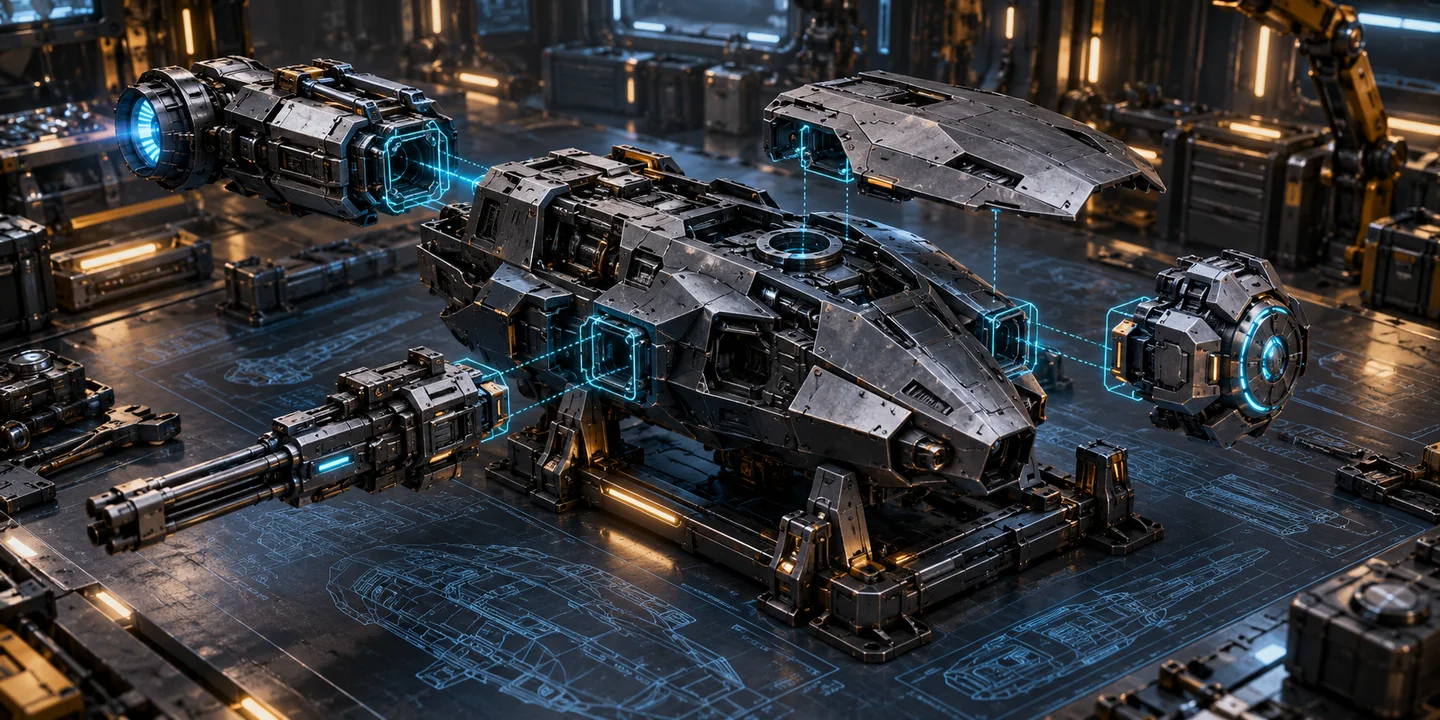
In Aleryos, you design your own ship models: a chassis, then hulls, reactors, weapons, and shields. The game calculates their statistics. You then build these models in the Shipyard, paying resources or assembling parts already produced.
If you are getting started, follow the Tutorial chapter ‘Ships and missions’: it guides you through component production, saving your first model, construction and assembly.
What a ship model is
- Infrastructure
- Armor
- Propulsion
- Weapons
- Shields



A model is a plan saved before production. It applies to all your planets; built ships, components, and buildings remain on the planet where they are located.
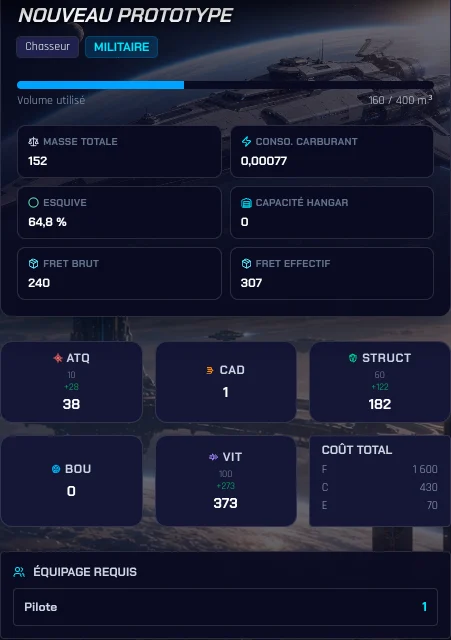
Each model contains exactly one Infrastructure, meaning the chassis, followed by a quantity of hulls, reactors, weapons, and shields. For each family, you choose one component type only. The game derives attack, durability, shield, speed, cargo, consumption, evasion, volume, cost, and required crew from it.
Military or civilian
A model’s type is chosen when it is created and cannot change. A military model follows the usual rules. A civilian model has no weapons or hangars; its hulls, reactors, and shields cannot exceed 20% of the chassis’s gross capacity. In exchange, its base evasion is doubled, up to a limit of 70%.
This 20% limit is the rule applied by the game. The ship-model wiki details the other design constraints.
Civilian does not mean protected: this ship can be targeted in combat, but it does not fire. The usual mission and crew rules still apply.
Designing a model step by step
- Open the Shipyard, Model tab.
- Name the model and choose its type, Military or Civilian. You can also customise its image and description.
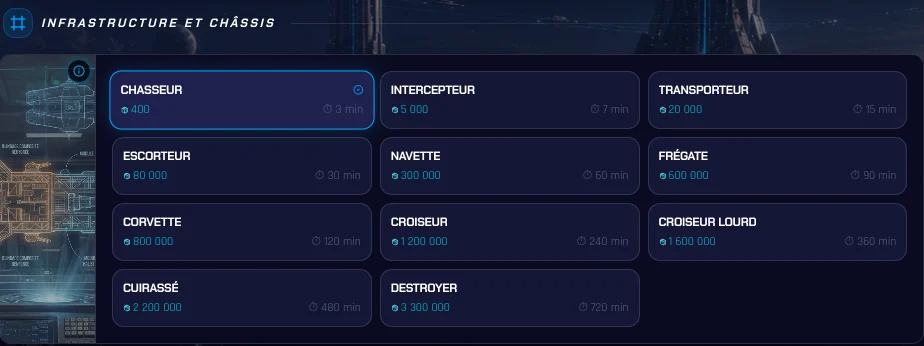
- Choose the chassis. It sets the available volume and required crew.
- Add at least one hull and one reactor. A military model requires at least one weapon; a civilian model must have neither weapons nor hangars.
- For a military model, add hangars if you want to carry craft: up to four, all of the same type.
- Check the calculated statistics, then save the model. Make sure it is active before starting production in Assemblies.
Chassis require a minimum level of Infrastructure technology and Shipyard: Fighter and Interceptor at level 2, Transporter 4, Escort 6, Shuttle 8, Frigate 9, Corvette 10, Cruiser 12, Heavy Cruiser 14, Battleship 15, and Destroyer 16.
The server rejects a model in particular if volume exceeds the chassis capacity, its speed exceeds 5,000, it has more than two reactors, or its shield exceeds its total durability.
To start from a preset model, open Assemblies, then use Add to my models in the catalogue. Check its prerequisites and activation before producing it.
Hangars use logistics units (LU) to carry craft, not resources. They take up volume even when empty and reduce cargo space. Installing a hangar does not load any craft: you select them when launching the mission.
Before sending your ships on a mission, prepare the crew specified by the model on the planet: Pilots and, depending on the chassis, Soldiers, Technicians or Computer Scientists. This crew boards and is removed from the planet at departure. Building a ship does not provide this crew.
Cargo: what remains after components
Cargo is the chassis volume left after components are installed. A chassis with 400 and 250 of components therefore keeps 150 cargo.
Cargo bonuses apply to that remaining volume. With Infrastructure technology at level 16 and the Seal at level 10, the bonus reaches 44%: 150 cargo becomes 216. This bonus never increases the space available for components.
Weapons, and why their number matters
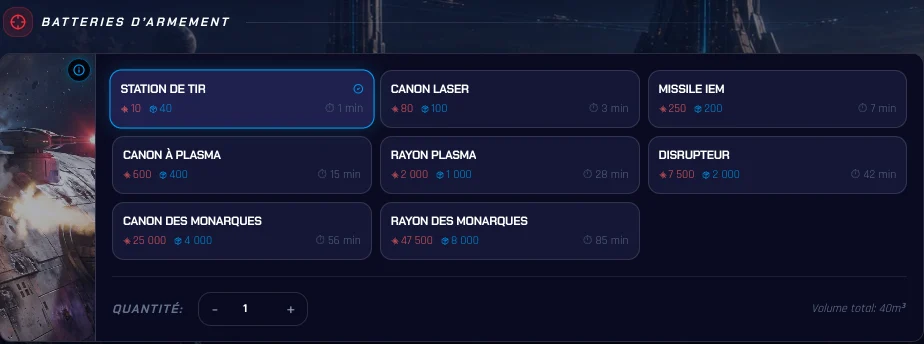
A ship’s rate of fire equals its number of weapons. Three identical weapons with 200 attack provide 600 total attack in three shots of 200. Each weapon therefore adds one shot and power, but it also occupies volume that will no longer be available for cargo.
Assembly and recycling in the Shipyard
In Assemblies, there are two ways to produce an active model. Direct construction pays its effective cost in Iron, Crystal, Aether and possibly Astrium, with the normal shipyard duration. Assembly consumes components already in stock and takes roughly one tenth of that duration, provided every part is available.
The model is shared across your planets, but production prerequisites are checked on the selected planet. A model can therefore remain visible without being available to build or assemble there. Prepare your parts in the Components tab to use assembly.
Component storage depends on Shipyard level: 85,792 logistics units at level 12 and 857,920 at level 18. The shipyard queue cannot exceed 15 days per production type.
Logistics units measure the space occupied, not the raw number of parts. Current stock, queued components and the new production must fit within the shipyard capacity. The component and storage wiki explains the calculation and exceptions.
Recycling returns 85% of the effective construction cost. A component that cost 1,000 Iron and 200 Crystal therefore returns 850 Iron and 170 Crystal. See the details for construction, assembly, and recycling.
Recycling removes the item from stock when it starts and returns the resources when its queue finishes, not immediately.
Evolving a model
From a model sheet, Evolve model transforms intact ships into another saved model. The target chassis must have at least the same capacity as the original one.
You pay only positive cost differences, increased by 5%. Duration follows the difference between normal durations, also increased by 5%. Before recycling a fleet that has become less useful, compare recycling returns with the cost of an evolution.
The target can be inactive, but the source ships must be intact and available in dock, and the planet must meet the target model’s construction prerequisites. Positive differences are calculated per resource, with no refund for negative differences; duration uses the absolute difference and is at least one second. Ships are replaced progressively in a queue that cannot be cancelled.
How many models to keep
You can save up to 15 personal models. The number of active models equals half the Infrastructure technology level, rounded down. For each chassis, only one military model and one civilian model can be active across the entire account.
Civilian and military models share the 15 personal slots and the active-model quota. Models copied from the preset catalogue do not count towards the 15 slots, but take up a slot when active. Deactivating or deleting a model requires that no ships of that model, missions or production remain in use.
To replace active model A with model B of the same chassis and type, B can remain inactive during evolution. Transform or recycle the A ships, wait until its other uses have ended, then deactivate A and activate B.
Tips drawn from the rules
- Decide the role before choosing parts: a heavily armed model carries less cargo.
- For pure transport, consider the civilian model: no weapon, but doubled base evasion.
- To produce series, manufacture components in advance, then assemble ships.
- Keep an eye on your Infrastructure level, which sets the number of active models.
- Compare evolution cost with recycling, which returns 85% of the effective cost.
If you come from OGame
The official OGame pages about ships present a catalog of combat and civilian ships, with their strengths, prerequisites, and uses. In Aleryos, design comes before production: you combine a chassis and components, then the server calculates the model’s characteristics.
Piece-by-piece design is not exclusive to Aleryos: Space Rift also presents ships assembled from modular components. Aleryos’s system is notable for how it combines cargo, civilian and military roles, component production, and model evolution.
Frequently asked questions
Can you create your own ships in a space strategy game?
Yes. In Aleryos, each model combines a chassis with hulls, reactors, weapons, and shields. You can save up to 15 personal models. Space Rift also presents ships assembled piece by piece.
How do you design a ship in Aleryos?
In the Shipyard, open the Model tab, choose the chassis and type, military or civilian, then add at least one hull and one reactor. A military model requires at least one weapon; a civilian model accepts neither weapon nor hangar. Then save the model before building or assembling it.
The model must then be active, and the selected planet must meet the production prerequisites. Find direct construction and assembly in Assemblies.
Can you recycle a ship?
Yes. Recycling in the Shipyard returns 85% of the effective construction cost of the ship, craft, or component.
Why is my model rejected?
Common causes are volume exceeding chassis capacity, speed over 5,000, more than two reactors, a shield greater than total durability, or a composition incompatible with the civilian or military type.